
Features
What Pacer shows you about your Claude Code usage, and where.
Rate limits
Every window, paced
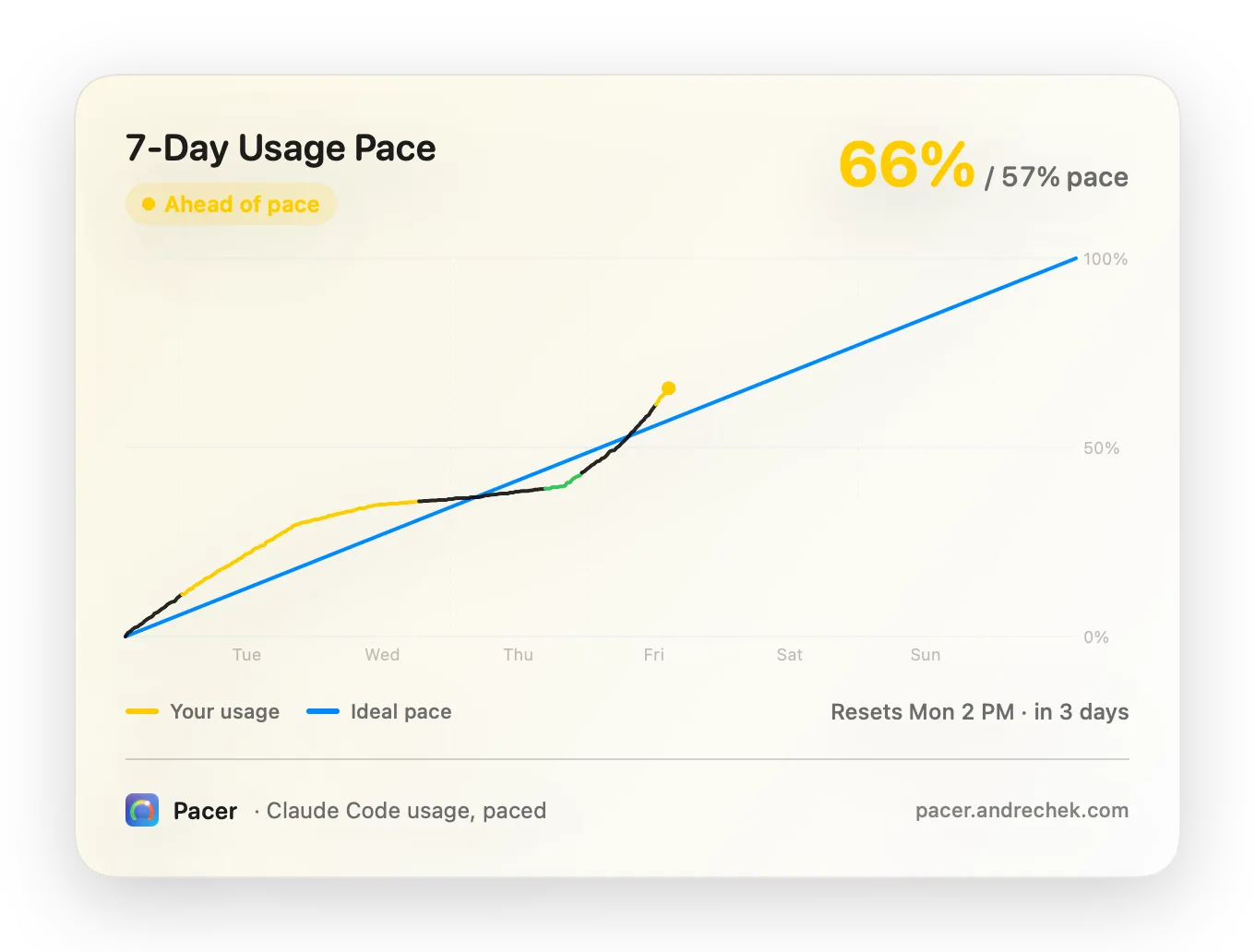
Your 5-hour and weekly windows, and any per-model caps Anthropic reports for your account (a weekly Fable limit, say), each drawn against an even pace to the limit. Color bands say whether you're behind, on track, ahead or nearly maxed.
A forecast for each one
Where each window will be at its reset and, if it will fill first, when. Pacer scores its forecast methods on your own history and uses the one with the best record. The range behind a forecast is one click in.
Read from Anthropic
Percentages come from Anthropic, using your Claude Code login, every few minutes. Between readings Pacer estimates from what you have spent since: an estimate has a decimal (42.6%), a reading does not (42%).
Ultra plans
Ultra has no 5-hour limit, so Pacer shows the weekly and per-model windows only.
Cost
Two ways to count
See spend the way Claude Code reports it, or have Pacer price it from tokens. Switch in Settings. Daily, monthly and all-time totals.
Priced at the time
Each request is priced at the rate in effect when you made it, so a price change never rewrites what you already spent. Long prompts are priced at their tier; 1-hour cache writes, fast mode and US-only routing are priced too.
Cost by part
Spend split into input, output, cache reads and cache writes, in the daily chart and every breakdown.
Today, live
Your current burn rate per hour, and where today will end at this pace.
Where it goes
Projects and collections
Usage per project. Group projects into your own collections, which can overlap and nest without changing anything on disk, and scope totals to one.
Models
Share, trend and a full table per model, each Claude model in its own color. Group by model or by class.
Days and history
Open any day for its breakdown. Lifetime totals, monthly spend and a six-month activity heatmap.
Share and export
Share a 5-hour or 7-day burn chart as an image. Export daily totals, daily totals by model, or per-project numbers to CSV.


Accounts
More than one Claude account
Every token and dollar goes to the account that used it. A toolbar menu scopes the whole app (dashboard, history, projects, models, widgets, menu bar) to one account or all of them. Rate limits show the account you are signed into.
Follows your switches
Switch with claude-swap, /logout or a CLAUDE_CONFIG_DIR profile, and Pacer follows. With claude-swap it reads its usage cache rather than asking Anthropic the same question twice.
Claude Desktop
Agent-mode (Cowork) sessions from Claude Desktop count too, on the account Desktop is signed into.
At a glance
Menu bar
An activity-ring icon and percent chips. Choose which window drives the icon.
Widgets
Today, rate limits, the pace chart, the current session, daily cost and top projects, on the desktop or in Notification Center. Each picks the window it shows.
Notifications, if you want them
An alert when a window crosses 50, 75 or 90%, on any window, or when you pass a daily spending limit you set. Off by default.
The window stays put
The dashboard comes back on the display and Space you left it, across relaunches, updates and a monitor that was asleep at login.
For agents and scripts
A Claude Code skill
Install it from Settings, and Claude checks every window before it fans out, pauses with its work saved near a limit, and resumes when there is room.
The pacer command
pacer report, gate, wait and more, for your terminal and your own scripts. It reads Pacer's data directly, so the local API can stay off.
Local API and metrics
An optional HTTP API and Prometheus metrics endpoint for your own tools. Off by default, and on this Mac only unless you change it.
The app
Native
SwiftUI, not a web view. On macOS 26 and newer it uses Liquid Glass; on macOS 15 it looks as it always has.
Updates itself
Signed and notarized. Updates install while you are not using Pacer and download only what changed.
Comes back after a crash
If Pacer crashes, it reopens itself in the background about 10 seconds later.
Get Pacer
brew install --cask ericandrechek/tap/pacer