
Always in the menu bar
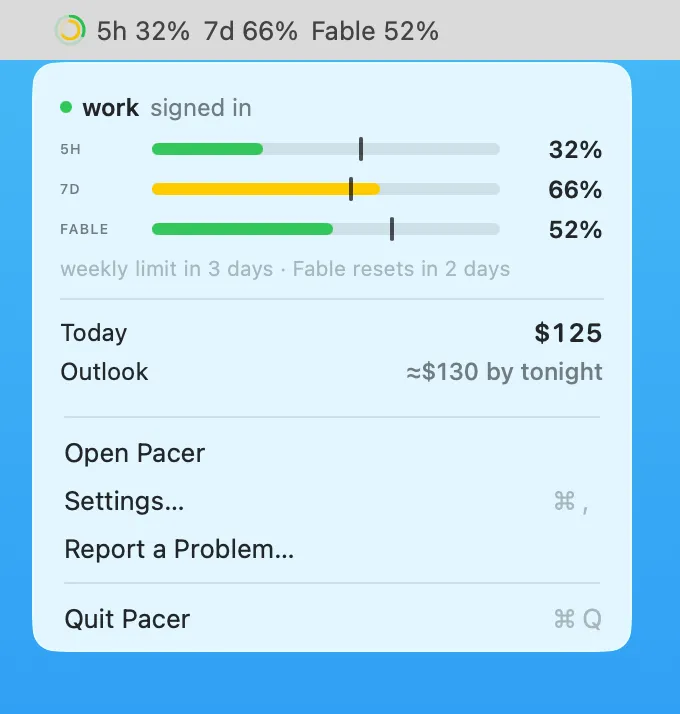
Percent chips and an activity ring for the windows you pick. Click it for every window of every account, today's spend and where tonight is heading.
Pacer is a free, open-source Mac app that tracks your Claude Code usage from the menu bar: what it costs, where it goes, and whether you will reach a rate limit before it resets.
brew install --cask ericandrechek/tap/pacer
38% / 64%
↗ +9%/hr ≈54% at reset
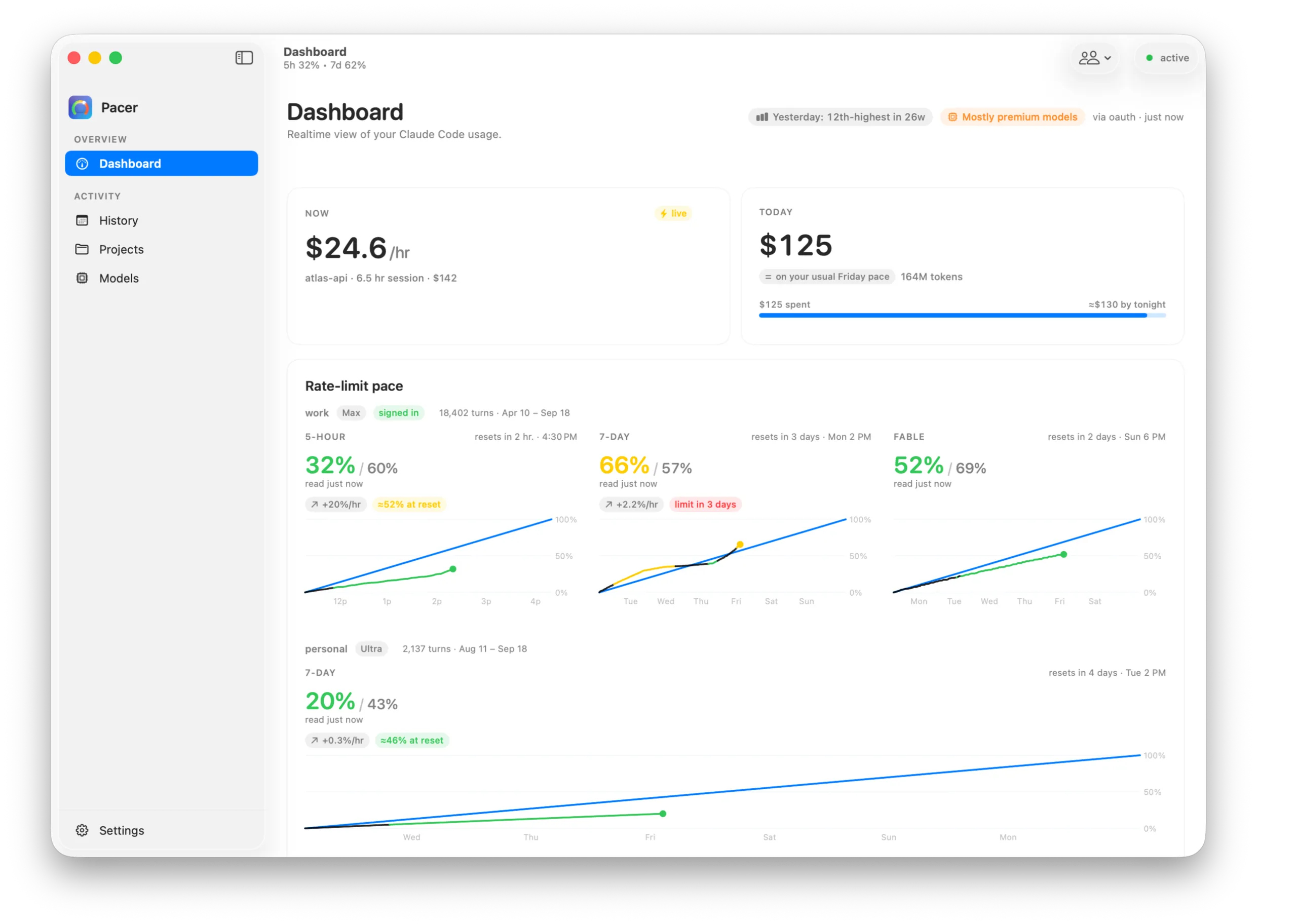
The dashboard. Every rate-limit window Anthropic reports for your account, per-model caps included, paced against an even burn, with a forecast to its reset.
Percent chips and an activity ring for the windows you pick. Click it for every window of every account, today's spend and where tonight is heading.
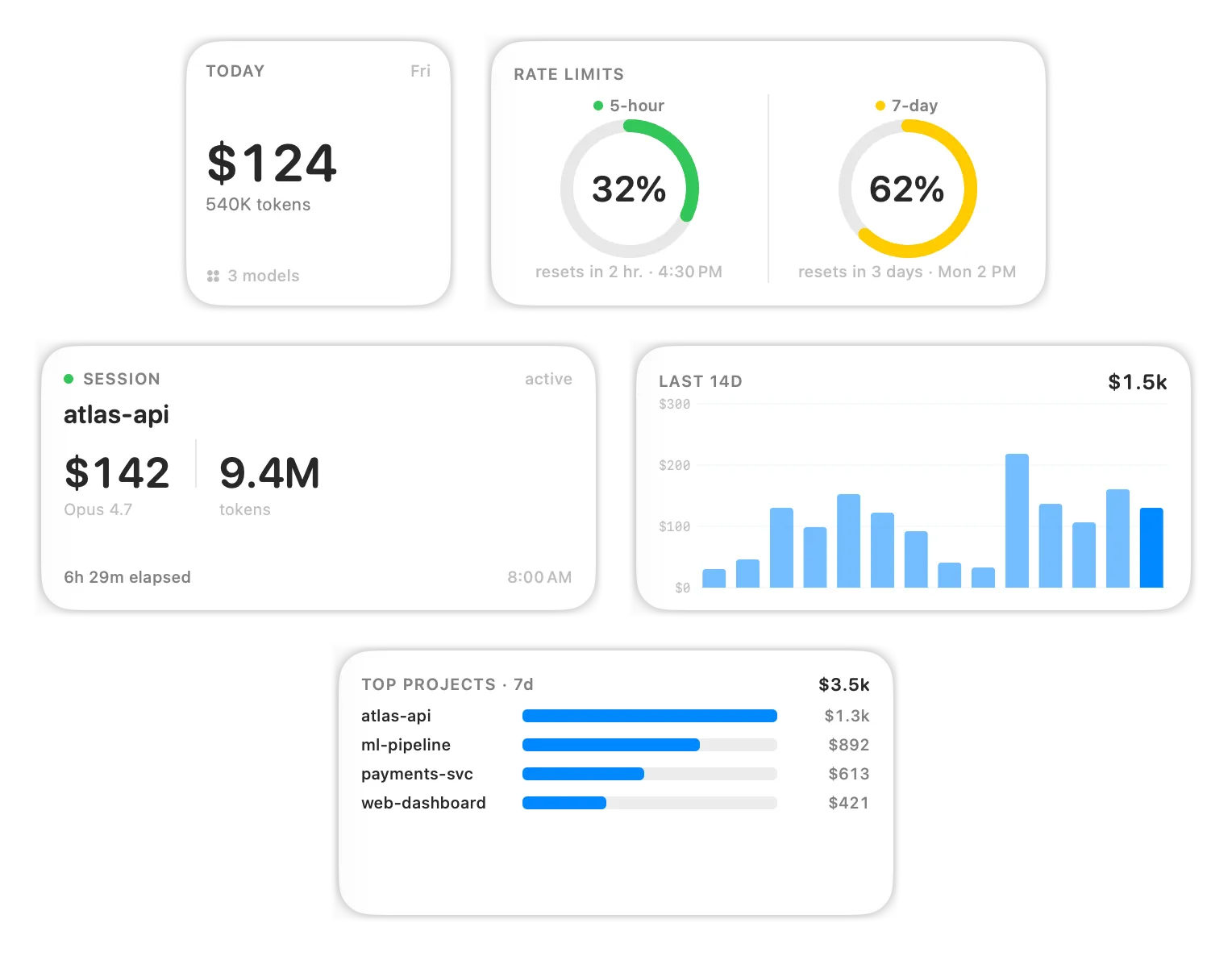
Six widgets for the desktop and Notification Center: today's cost, rate limits, the pace chart, the current session, daily cost and top projects. Each one follows the window you choose.
Usage by project, grouped into your own collections, and by model and by day. Open any day for its breakdown, or look back six months on the heatmap.

Pacer comes with a Claude Code skill and a pacer command. Before a long run fans out, Claude asks
Pacer whether to go. Near a limit it saves its work and pauses, then resumes when there is room again.
$ pacer gate --model opus
pace: GO.
$ pacer gate --model opus
pace: PAUSE — this login is at its limit until Thu 6:39 PM. Checkpoint, then run `pacer wait` in the background: it resumes then.
$ pacer wait
pace: room is back — the limit reset. Resume.
Pacer reads the transcripts Claude Code writes on your Mac, and once a day checks its totals against Claude Code's own.
Each request is priced at the rate in effect when you made it, so a later price change doesn't rewrite history.
Rate-limit percentages are Anthropic's readings, not guesses from your logs. Between readings, Pacer's estimate carries a decimal.
Pacer reads Claude Code's own files and uses your Claude Code login only to ask Anthropic for your rate limits. Crash reports and anonymous usage stats help find bugs; never your prompts, projects, files, accounts or costs. Turn either off in Settings.
brew install --cask ericandrechek/tap/pacer